Everything the controller can do
OpenHaldex is set up from a web interface served by the controller itself. These screenshots are from the current firmware.
Drive modes
Five presets and one fully custom mode. The RGB LED on the controller shows which one is active.
| Mode | What it does | Clutch lock | LED |
|---|---|---|---|
| Stock | Passes everything through. Factory behaviour. | OEM | Red |
| FWD | Keeps the coupling open. Front-wheel drive only, less drivetrain drag. | 0% | Green |
| 75:25 | Light rear bias. | 25% | Cyan |
| 60:40 | Medium rear bias. | 40% | Magenta |
| 50:50 | Full lock. As much rear drive as the system allows. | 100% | Blue |
| Expert | Follows your own speed and throttle map. | User defined | White |
The Dashboard shows the lock the controller is asking for against the lock the Haldex reports back, on a gauge and a 15-second response graph, so you can see exactly how the coupling is responding.
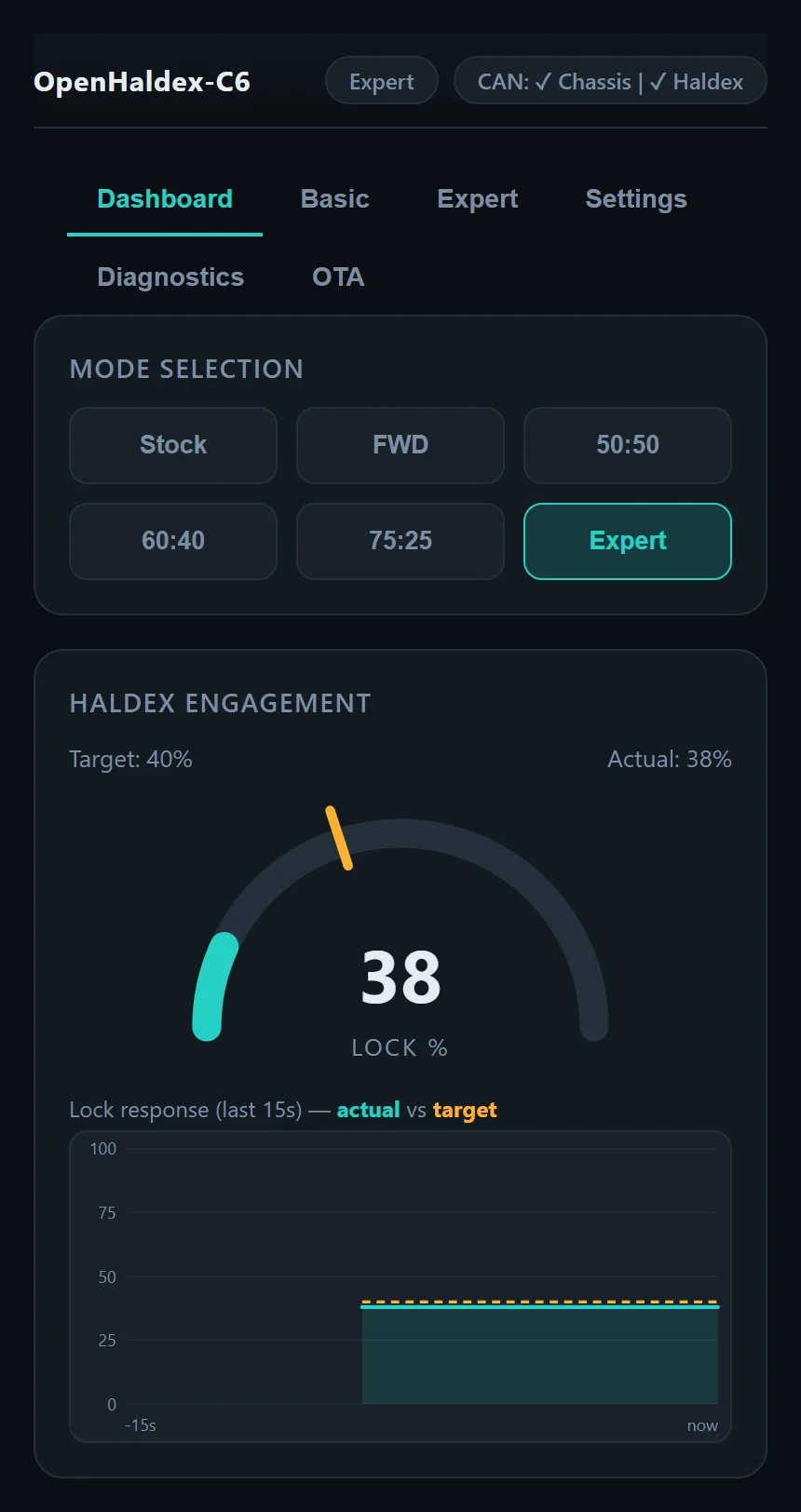
Haldex is front-biased by design: the front axle is always driven by the gearbox. The mode names describe the most the coupling can send to the rear, so 50:50 is the maximum on any Haldex car.
Expert mode
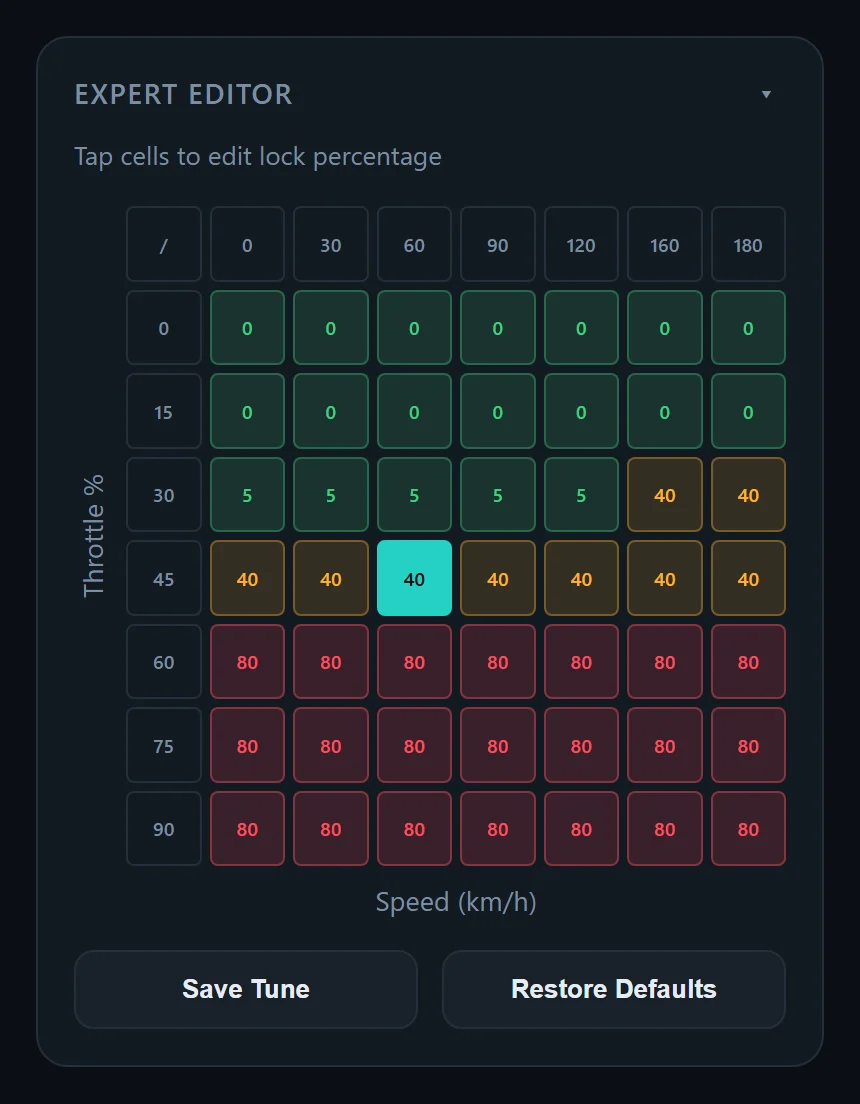
Expert mode gives you a table of lock targets against vehicle speed and throttle position. Tap any cell to set its lock percentage; cells are coloured from green through amber to red as lock rises, and the live operating point is highlighted as you drive.
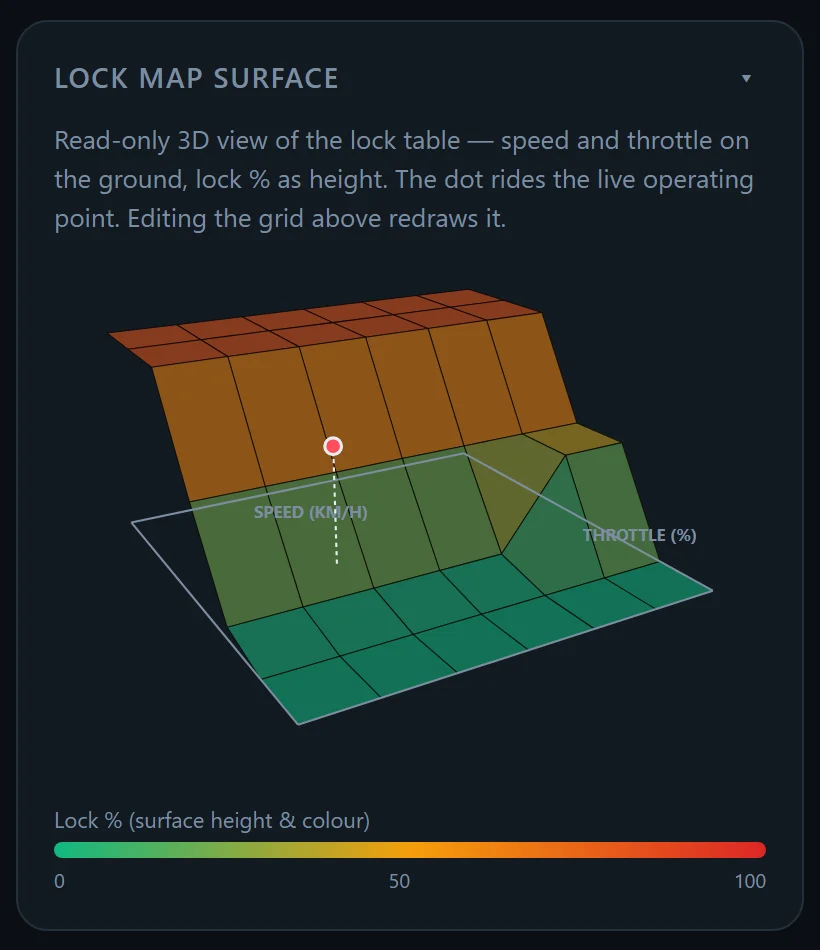
Below the table, the Lock Map Surface draws the same map in 3D: speed and throttle on the ground, lock as height and colour. A dot rides the live operating point, and the surface redraws as you edit the grid, so you can see steps and cliffs in your map at a glance.
Expert mode needs the car's own CAN messages for speed and throttle, so it isn't available in standalone mode.
Steering-angle scaling
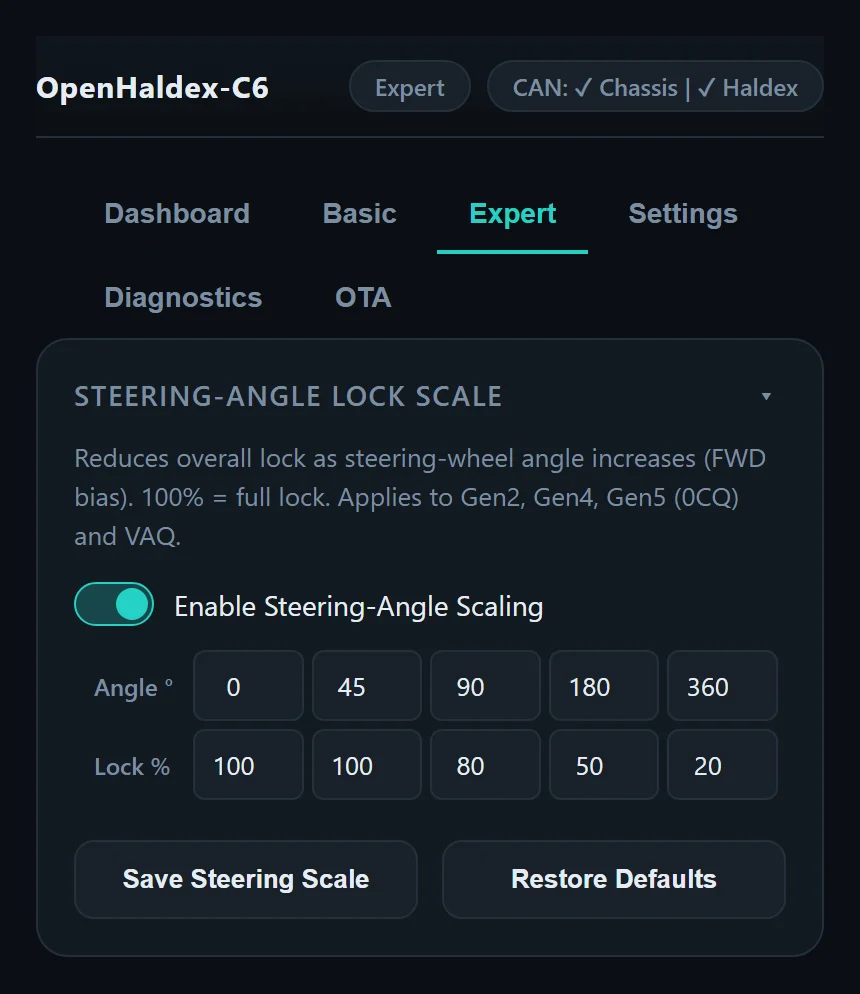
Steering-angle scaling reduces overall lock as the steering wheel turns. You set a lock percentage at five steering angles (100% means no reduction), which cuts binding on tight manoeuvres and adds front bias mid-corner. It applies to Gen2, Gen4, Gen5 (0CQ) and VAQ.
Speed, throttle and release
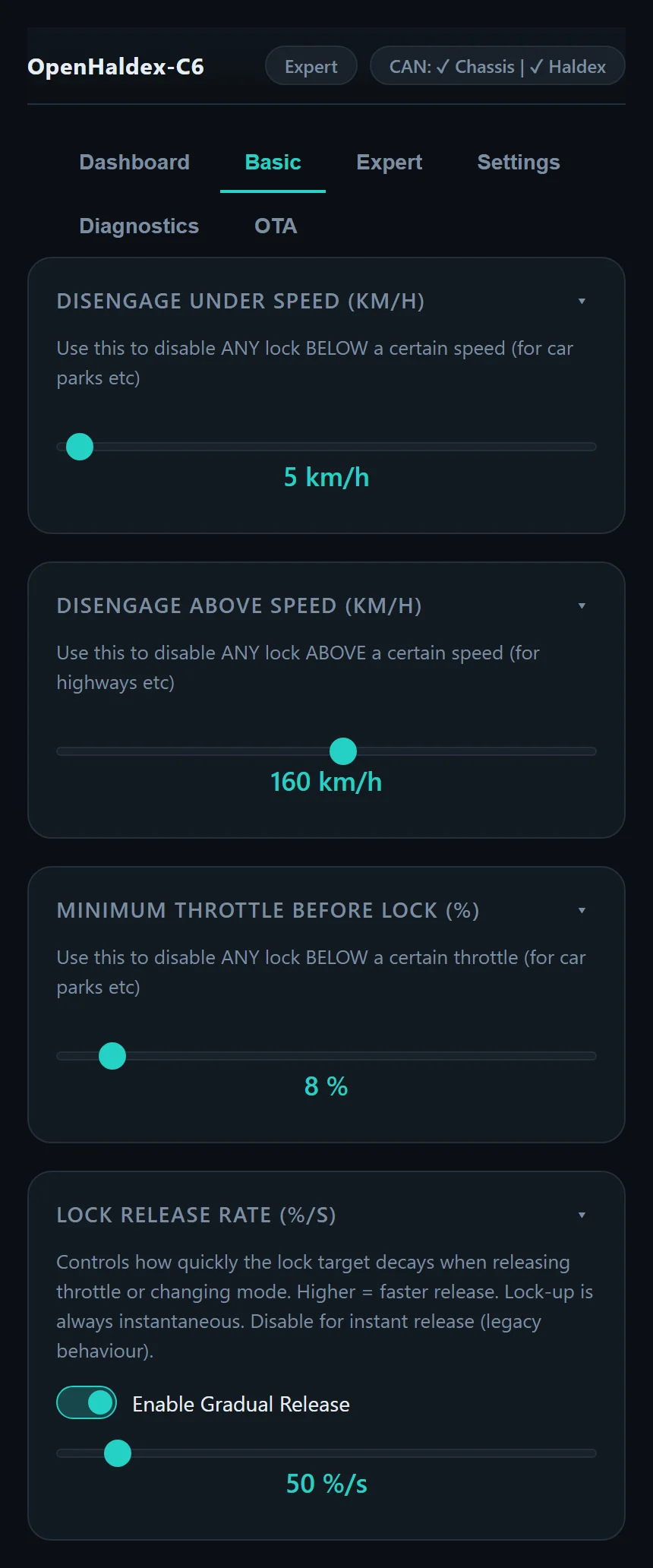
The Basic page holds the everyday limits:
- Disengage under speed releases all lock below a set speed, so the car doesn't bind in car parks.
- Disengage above speed releases all lock above a set speed, useful on motorways.
- Minimum throttle before lock keeps the coupling open until you're actually asking for power.
- Lock release rate controls how quickly lock falls away when you lift off or change mode. Lock-up is always instant; turn gradual release off for the old instant-release behaviour.
Changing modes
- On-board button. Press Mode to cycle through the modes.
- Phone. Tap a mode on the Dashboard.
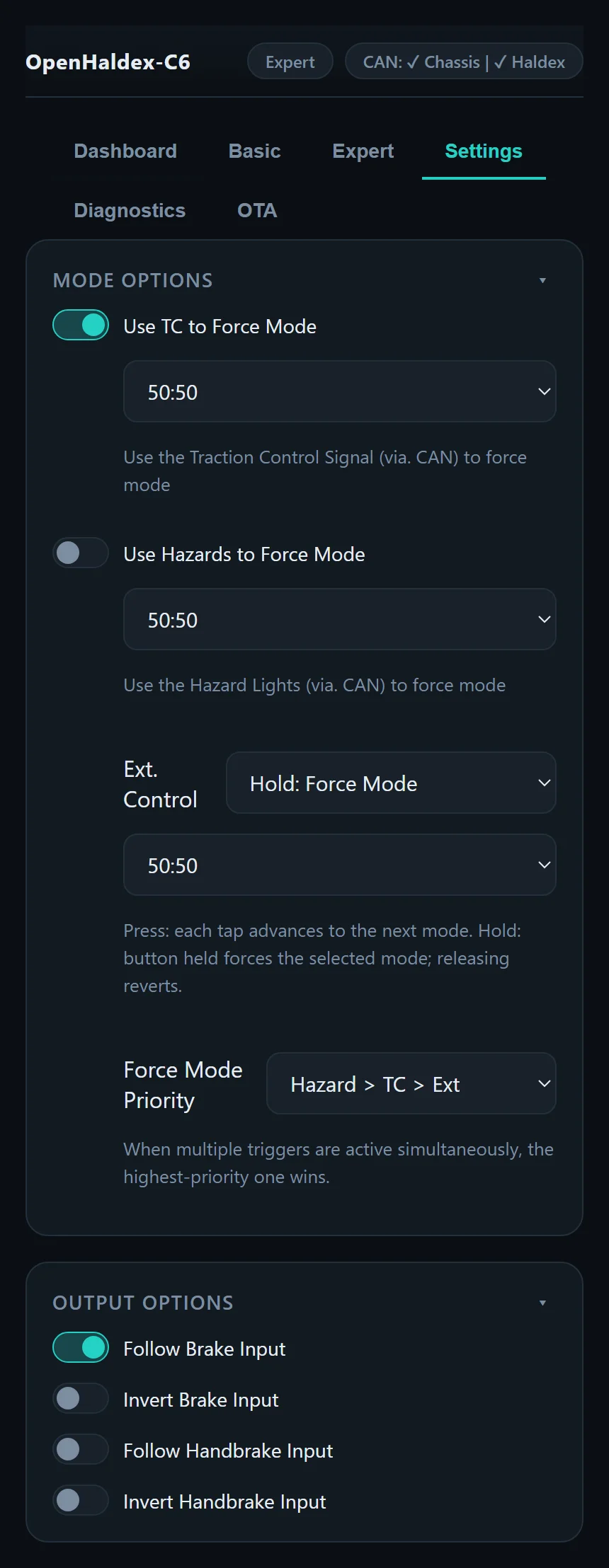
- External control. A 12 V input for a button anywhere in the cabin. Set it to Press, where each tap moves to the next mode, or Hold, where holding the button forces a chosen mode and releasing it reverts.
- Force mode with factory controls. Use the traction control button or the hazard switch to force a chosen mode, with no extra wiring.
- Force mode priority. If more than one trigger is active, you choose which wins, for example Hazard, then TC, then external.
- Over CAN. Send a frame to
0x6A0from a dash, ECU or switch panel. See CAN broadcast.
Haldex learning
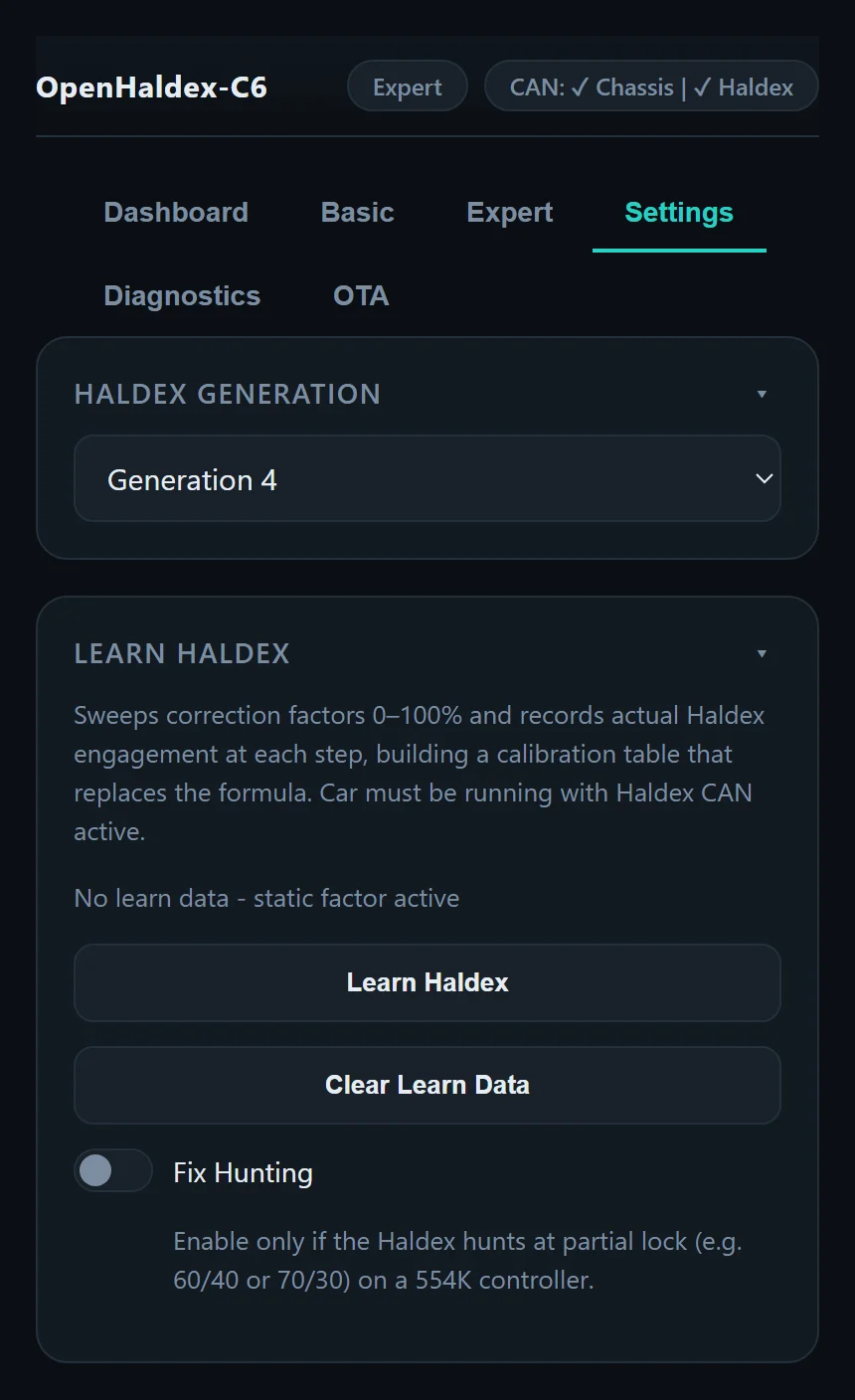
Every coupling responds a little differently. Learn Haldex sweeps the correction factor from 0 to 100% and records the engagement the Haldex actually delivers at each step, building a calibration table for your car. Run it with the engine running and Haldex CAN active.
Fix Hunting is for Gen5 554K controllers that hunt at partial lock (around 60:40 or 70:30). Only turn it on if you see that.
Long Learn
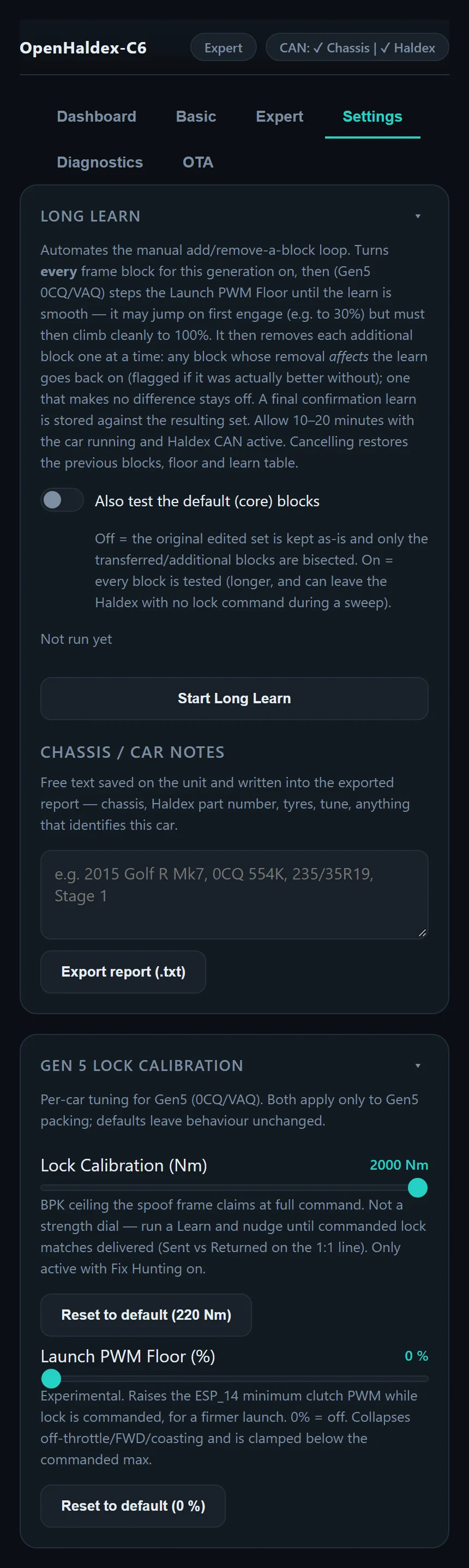
Long Learn automates the trial and error of finding which CAN frames your car needs edited. It turns every frame on, then (on Gen5 0CQ and VAQ) steps the launch PWM floor until the learn is smooth, then removes each extra frame one at a time, keeping only the ones that make a difference. A final confirmation learn is stored against the result. Allow 10 to 20 minutes with the car running; cancelling restores your previous setup.
You can add notes about the car (chassis, Haldex part number, tyres, tune) and export a report to share when asking for help.
Gen5 lock calibration
For Gen5 0CQ and VAQ there are two per-car adjustments. Lock Calibration sets the torque ceiling the controller reports at full command; run a learn and adjust until commanded lock matches delivered lock. It's only active with Fix Hunting on. Launch PWM Floor is experimental: it raises the minimum clutch PWM while lock is commanded, for a firmer launch.
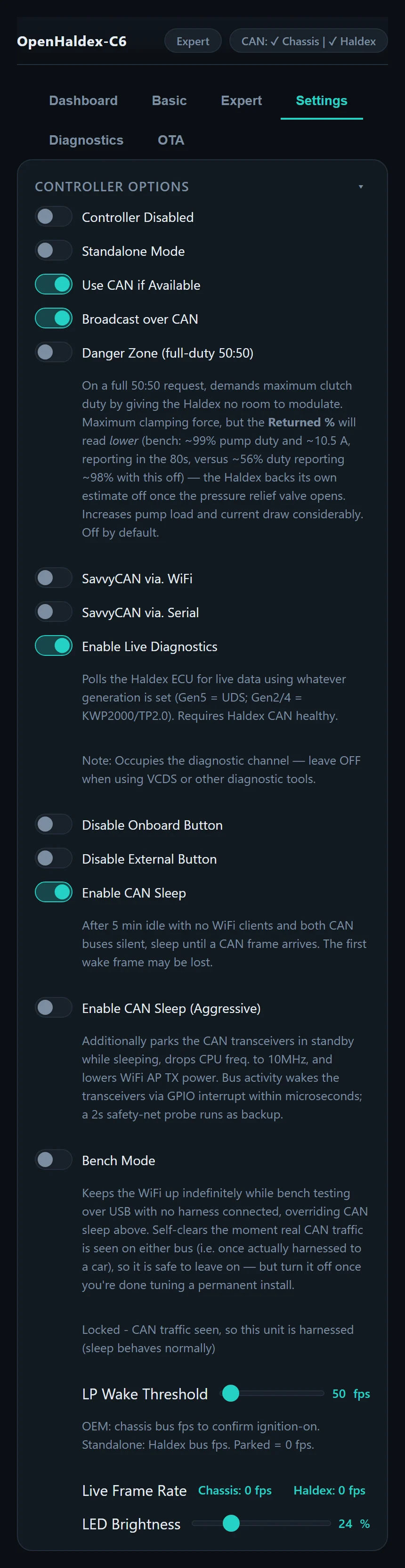
Controller options
- Controller Disabled turns all modification off.
- Standalone Mode and Use CAN if Available choose where speed and throttle come from.
- Broadcast over CAN enables the
0x6A0and0x6B0frames. - Danger Zone (full-duty 50:50) demands maximum clutch duty on a full 50:50 request, for maximum clamping force. It increases pump load and current draw considerably, and the Haldex's own reported lock will read lower. Off by default.
- SavvyCAN over Wi-Fi or serial, and Live Diagnostics.
- Disable Onboard / External Button to lock the mode.
- CAN Sleep and CAN Sleep (Aggressive) for low power. See Low power.
- Bench Mode keeps Wi-Fi up indefinitely for testing on the bench. It clears itself as soon as real CAN traffic appears, so it's safe to leave on.
- LED brightness, and a live frame rate for each CAN bus.
Standalone mode
With standalone mode on, the controller generates the messages the Haldex needs itself, so it doesn't need a chassis CAN bus at all. That makes OpenHaldex a good fit for engine swaps, drivetrain conversions and cars running aftermarket ECUs.
Inputs and outputs
Alongside the two CAN interfaces, the controller has an external mode input, brake and handbrake inputs, and two high-side outputs. The outputs can follow the brake and handbrake inputs, inverted if needed, which is how Generation 1 and 2 couplings get those signals. On other cars you can repurpose them, for example as a PWM output to drive an oil cooler fan. Pinouts are on the Hardware page.
Live data
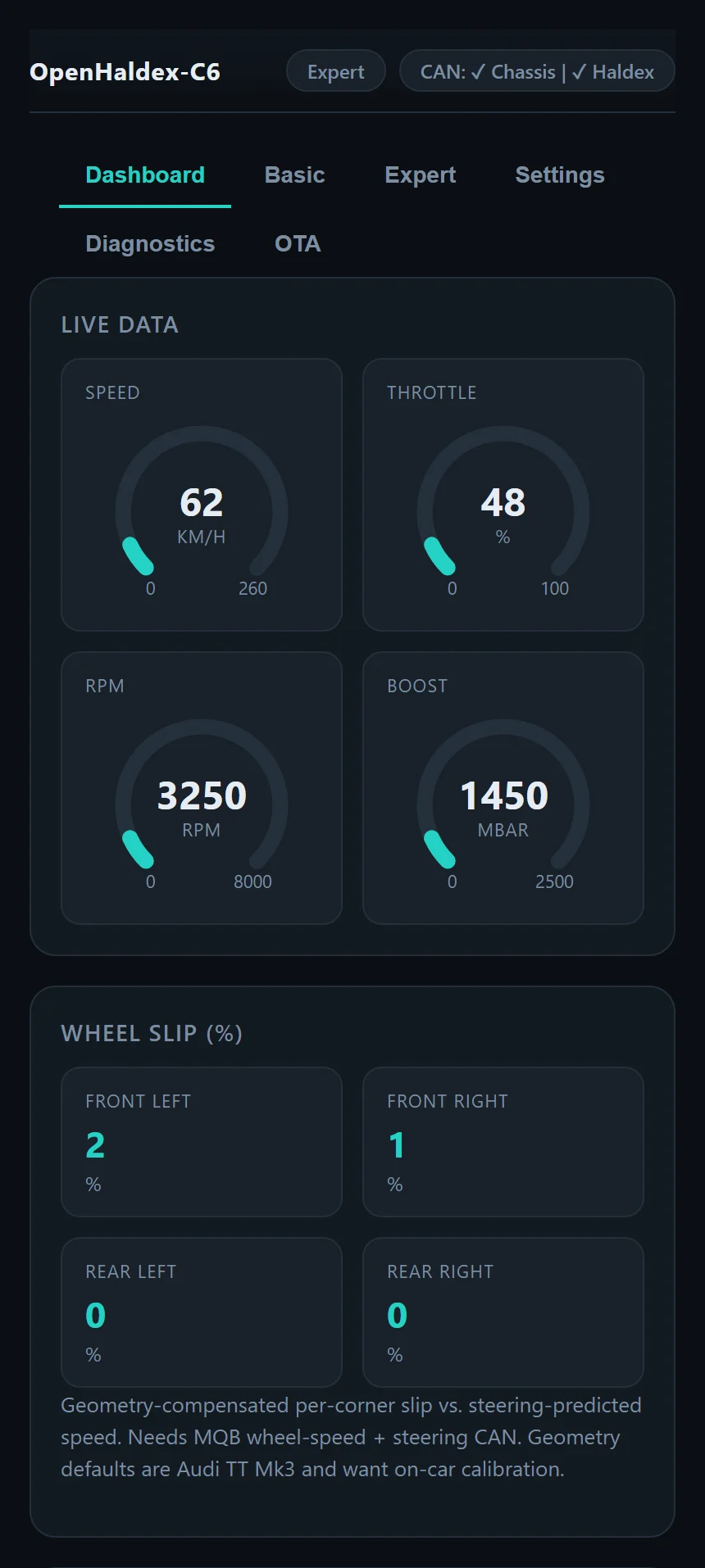
The Dashboard shows speed, throttle, RPM and boost on gauges. On MQB cars it also shows wheel slip at each corner, compared against the speed each wheel should be doing for the current steering angle.
With Live Diagnostics on, the controller reads measurements from the Haldex module itself, like a scan tool, using the right protocol for your generation. All scaling has been checked against VCDS.
| Generation | Protocol | Values |
|---|---|---|
Gen5 (MQB 0CQ, PQ 0AY) | UDS | Terminal voltage, module temperature, clutch temperature, fin temperature, clutch current, PWM signal, voltage and blockage |
Gen2 (1K0) and Gen4 (0AY) | KWP2000 over TP2.0 | Oil and plate temperature, supply voltage, oil pressure, estimated torque, clutch duty and valve current |
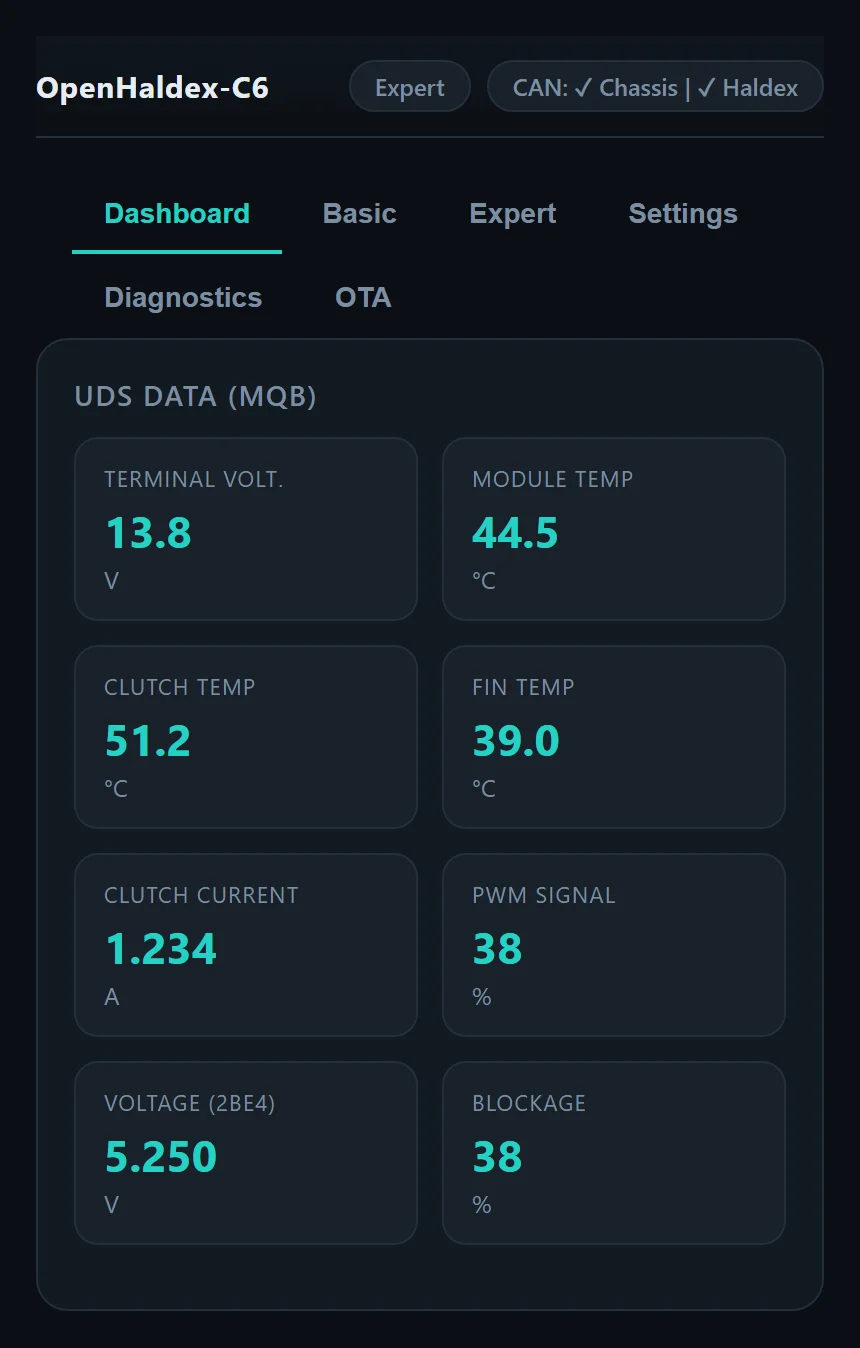
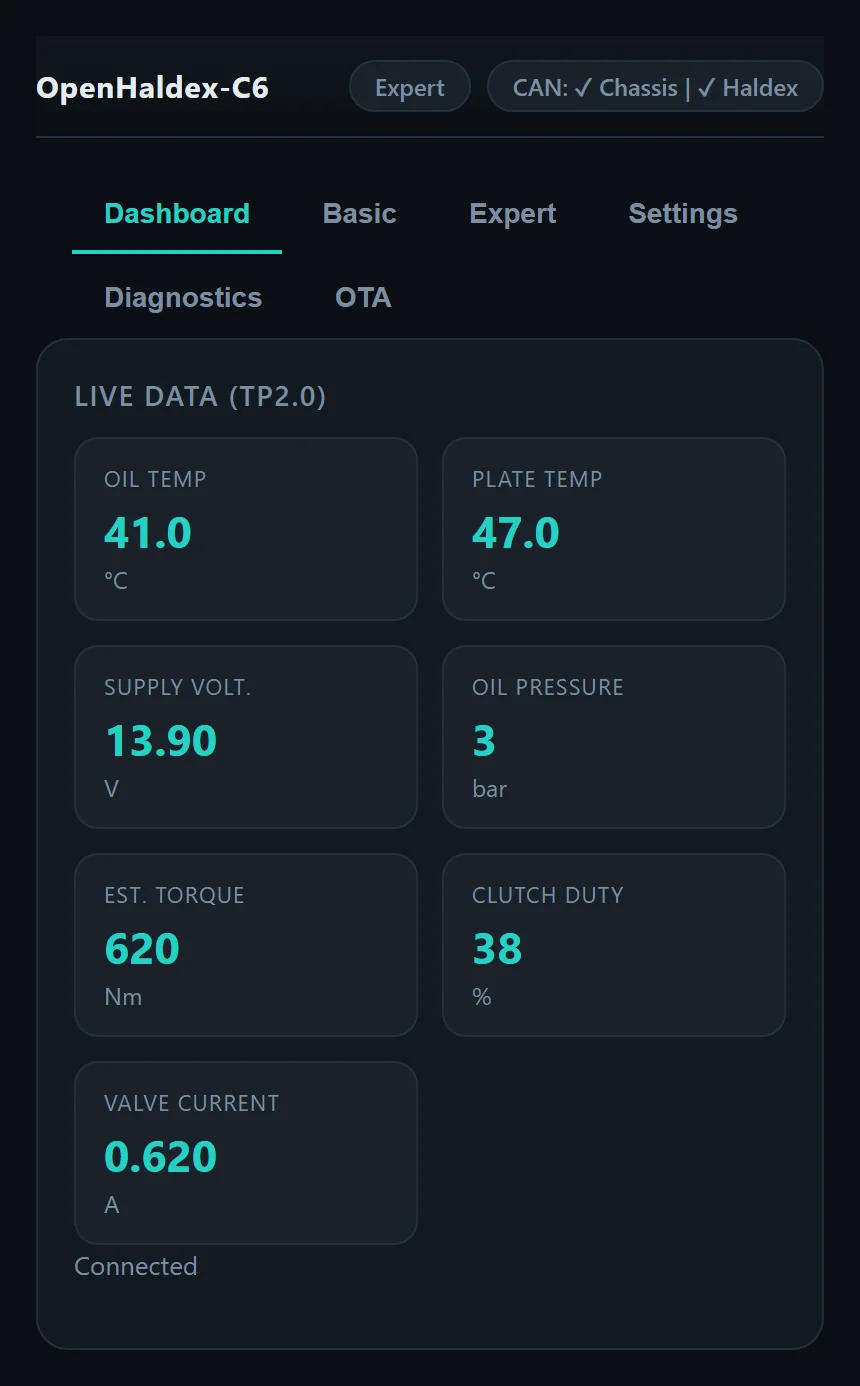
Live Diagnostics uses the Haldex's diagnostic channel, so leave it off while using VCDS or other scan tools.
Diagnostics
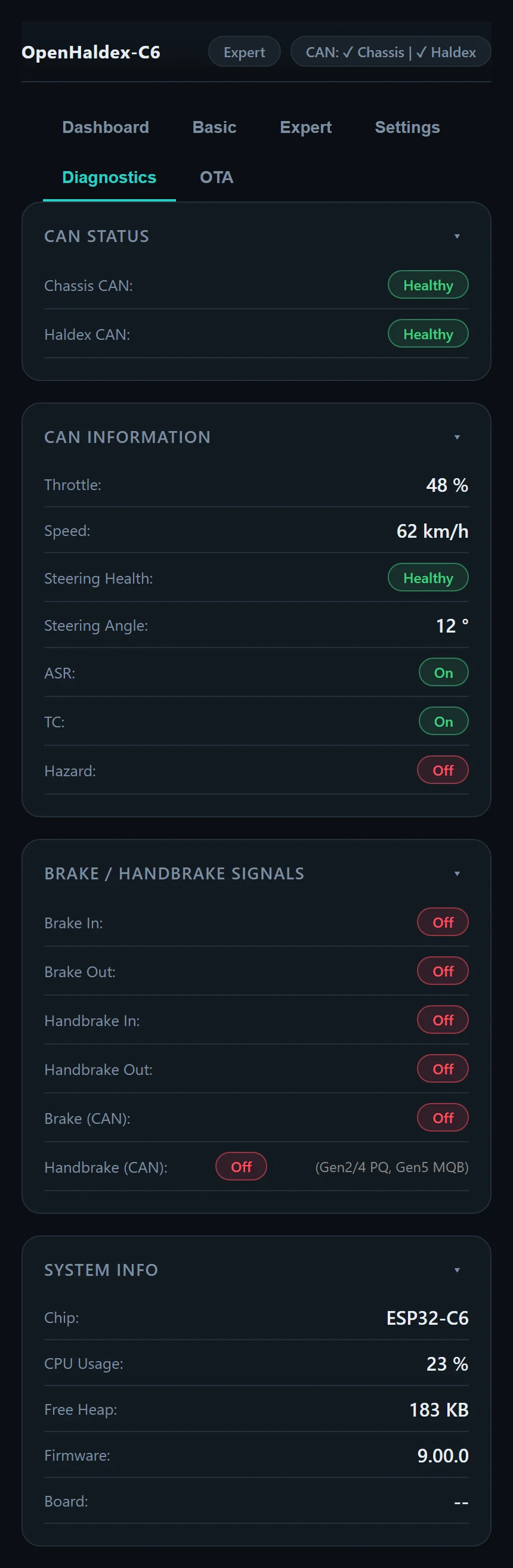
The Diagnostics page shows the health of both CAN buses, what the controller is reading from the car (throttle, speed, steering angle and health, ASR, TC and hazards), the brake and handbrake signals in and out, and system information including the firmware version.
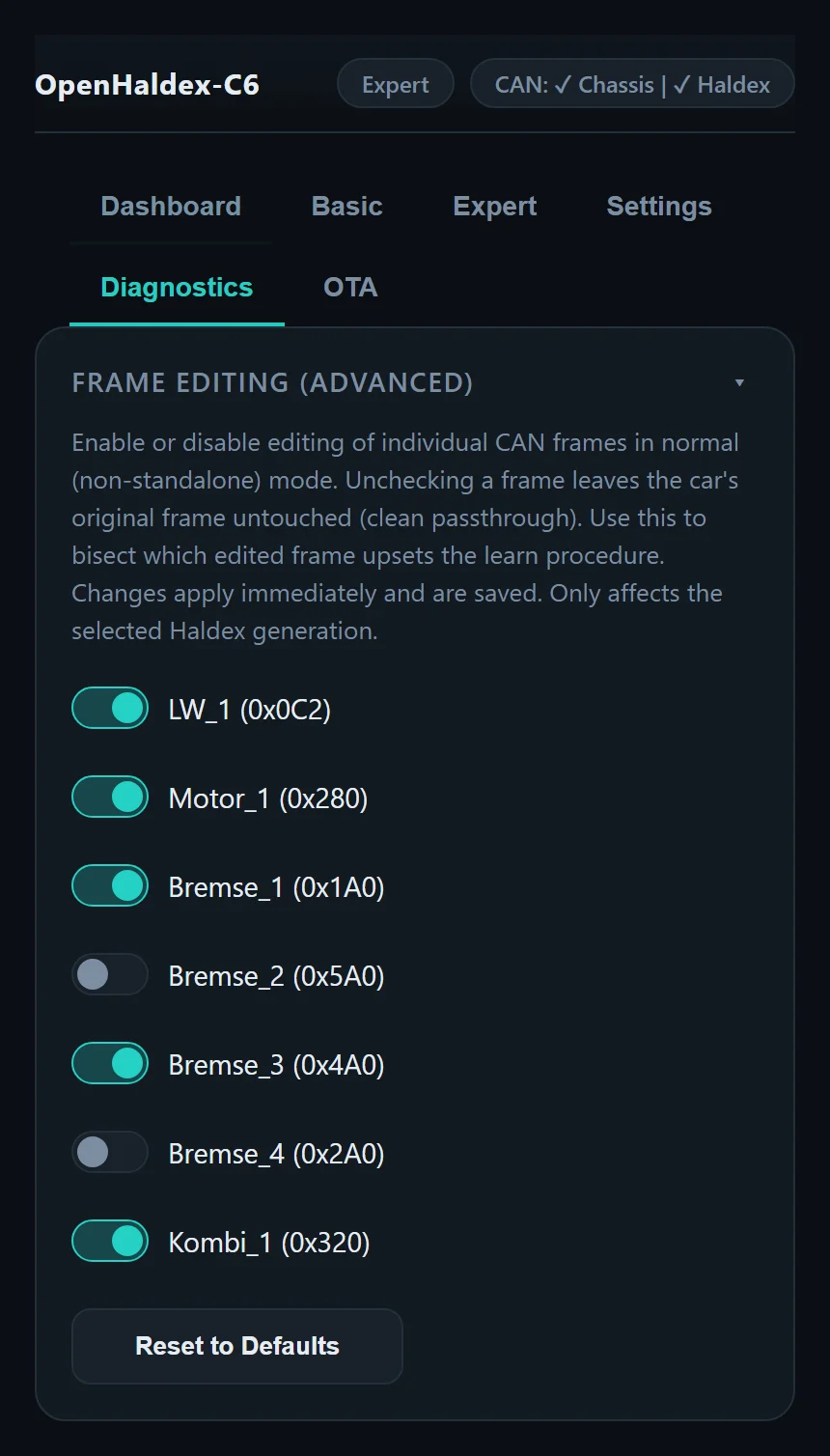
Frame editing lists every CAN frame OpenHaldex can modify for your generation. Untick a frame to pass the car's original through untouched. It's the manual version of what Long Learn automates, and changes apply immediately.
Wi-Fi and bridge mode
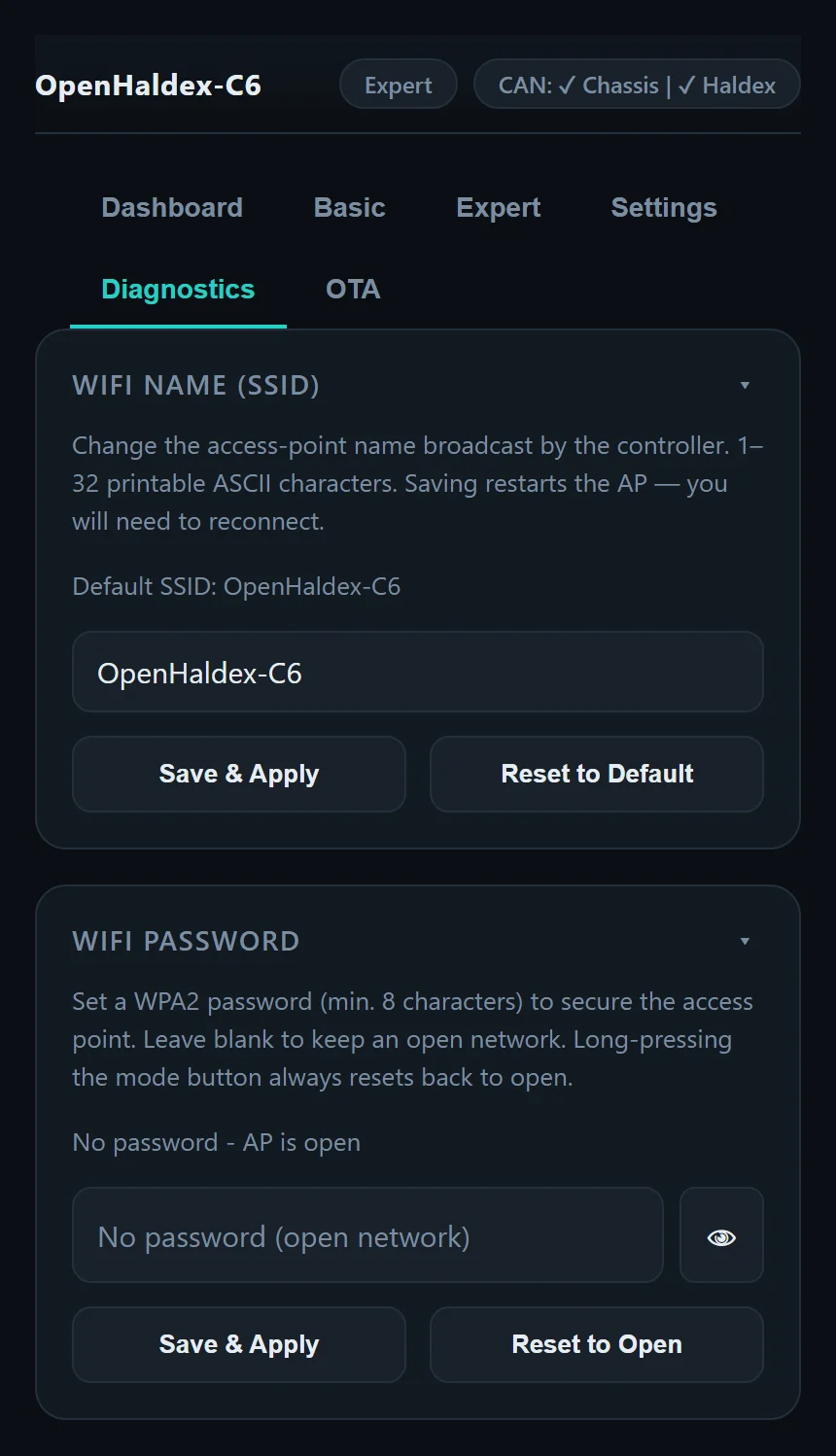
The controller runs its own Wi-Fi access point. You can rename it and protect it with a WPA2 password. A long press of the Mode button always resets it back to an open network if you're locked out.
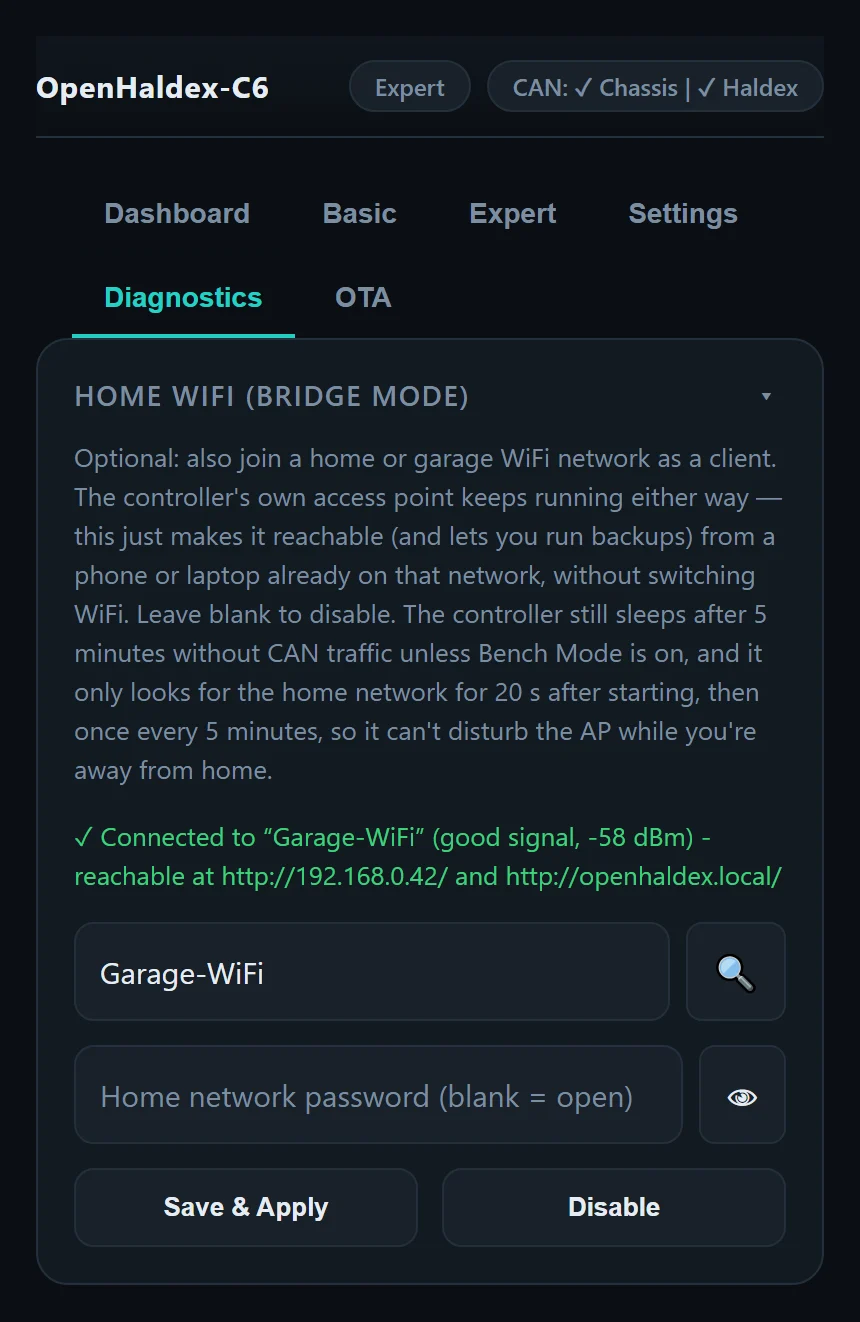
Home Wi-Fi (bridge mode) lets the controller also join your home or garage network. Its own access point keeps running either way; this just means a phone or laptop already on that network can reach it without switching Wi-Fi. It only looks for your network briefly after starting and then every five minutes, so it won't disturb the access point when you're away.
Backup and restore
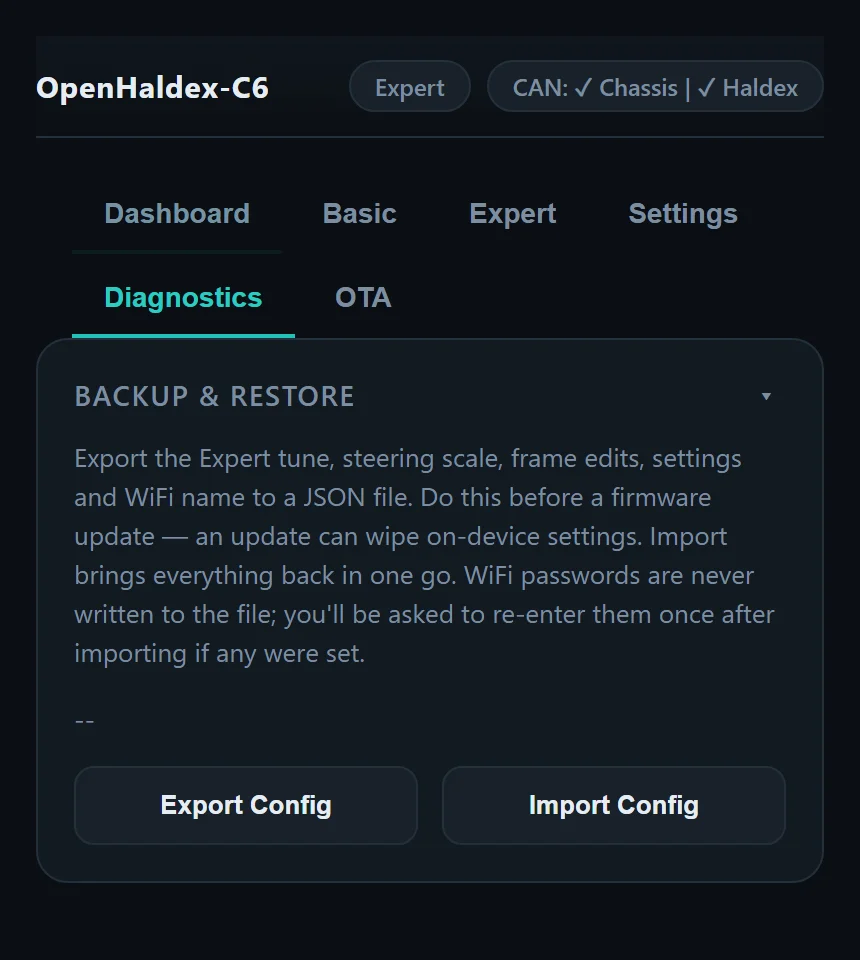
Export your Expert tune, steering scale, frame edits, settings and Wi-Fi name to a JSON file, and import it again in one go. Do this before a firmware update, since an update can wipe settings. Wi-Fi passwords are never written to the file.
OTA updates
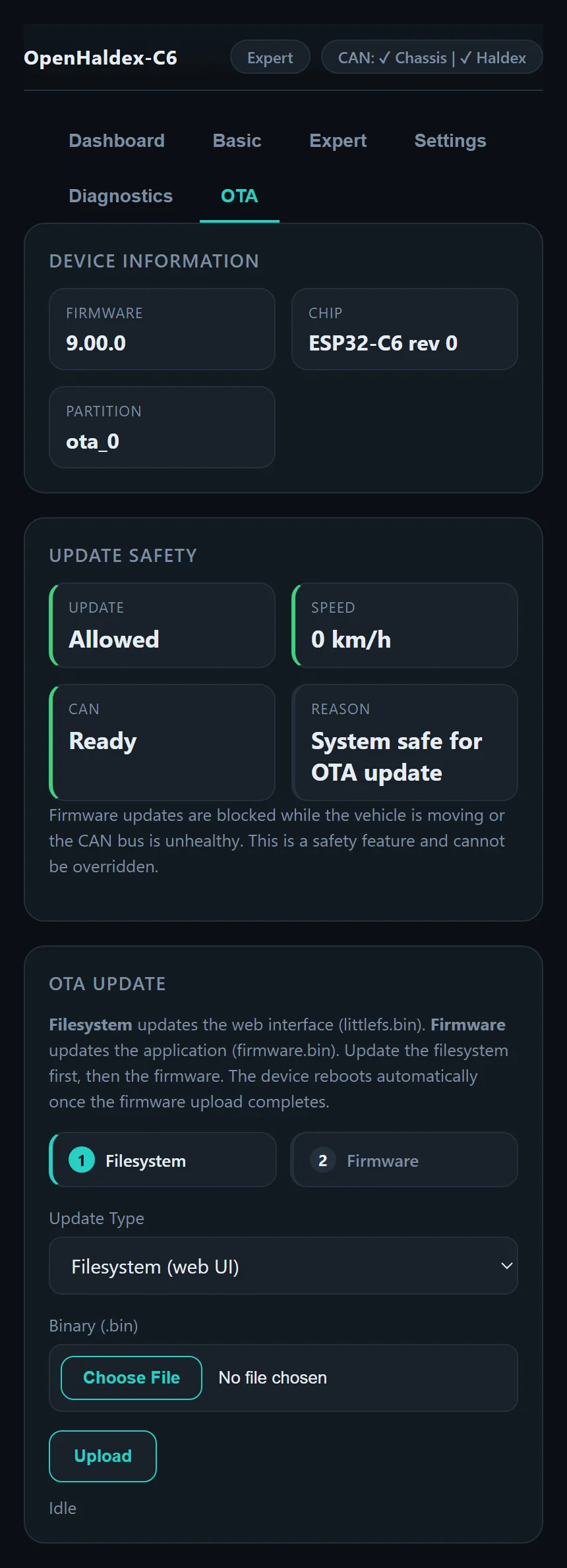
Once the controller is running current firmware, you can update it from its own OTA page without a USB cable: upload the filesystem (littlefs.bin) first, then the firmware (firmware.bin). The controller reboots when it's done.
Updates are blocked while the car is moving or a CAN bus is unhealthy. That's a safety feature and can't be overridden.
Low power
The controller is designed to live on a permanent 12 V feed. With CAN Sleep on, it sleeps after five minutes with no Wi-Fi clients and both CAN buses quiet, drawing about 14 mA, and wakes when CAN traffic returns. Set up low power mode.
CAN tools
- SavvyCAN. Stream CAN traffic to SavvyCAN over Wi-Fi or USB serial using the GVRET protocol.
- Frame editing. Choose which CAN frames OpenHaldex modifies for each generation.
- Broadcast. OpenHaldex publishes its mode, lock, speed and throttle on
0x6B0for dash displays, FIS screens and aftermarket ECUs.
Setup details are in the documentation.
Ready to fit one?
Check your car is supported, then pick a harness to make installation easier.